Splitting item sale proceeds
Start with the proceeds left after tax and the guild share, then choose the method agreed by your guild. All four examples use 8,550 units of in-game currency.
Create a distribution and enter the sale amount
Open Distributions and create an entry. Choose an item from the catalog, enter the amount and currency, and select who is responsible for payouts.
Enter the tax and clan share separately
Use the rates agreed by the guild. The system deducts tax from the sale amount, then calculates the clan share from the after-tax amount.
Select recipients and a split method
Select the recipients and choose a Split method. For Split by points, enter points yourself or use rank scores. Check each recipient’s input for the chosen method before saving.
Review the amount available before paying
Check the amount available to distribute, each payout, and any remainder after rounding down. If the sale price is unknown, save a zero amount and update it before paying.
Track payments and close the entry
Use the item listing and payment statuses for each recipient. Review both the list and statuses before closing the distribution.
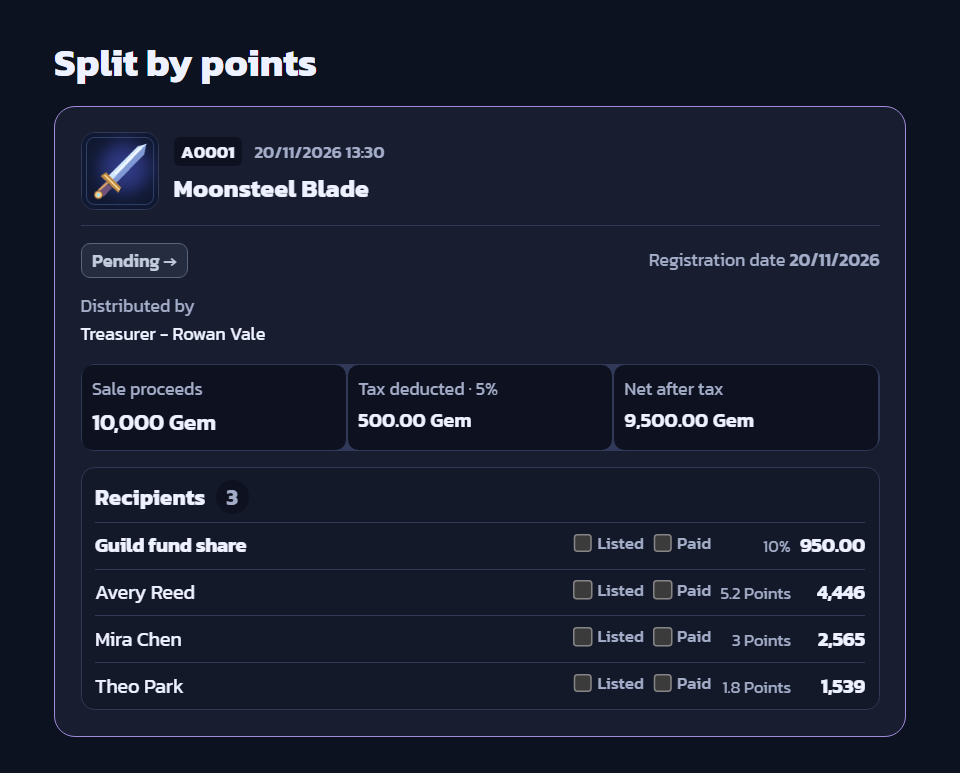
Amount available and a points-based example
These examples use the fictional Moonsteel Blade and guild members Avery Reed, Mira Chen, and Theo Park. The screenshots use gems as the example currency. Select an image to open it at full size.
- Sale amount
- 10,000 units
- Tax at 5%
- 500 units
- After-tax proceeds
- 9,500 units
- Clan share at 10% of after-tax proceeds
- 950 units
- Available to members
- 8,550 units
If 8,550 units remain and eligible members have 10 points in total, a member with 1.8 points receives 8,550 × 1.8 ÷ 10 = 1,539 units.
Examples for the other split methods
-
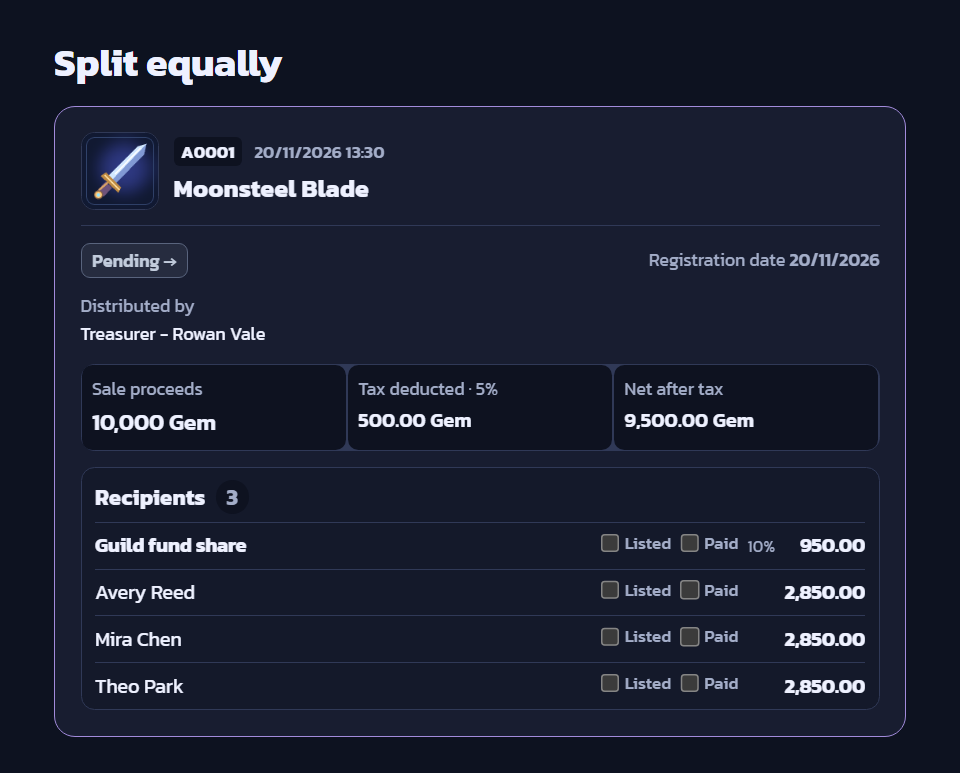
Split equally
Choose Split equally and select the recipients. The site calculates each payout from the number of recipients.
With three recipients, 8,550 ÷ 3 gives each person 2,850 units.
-
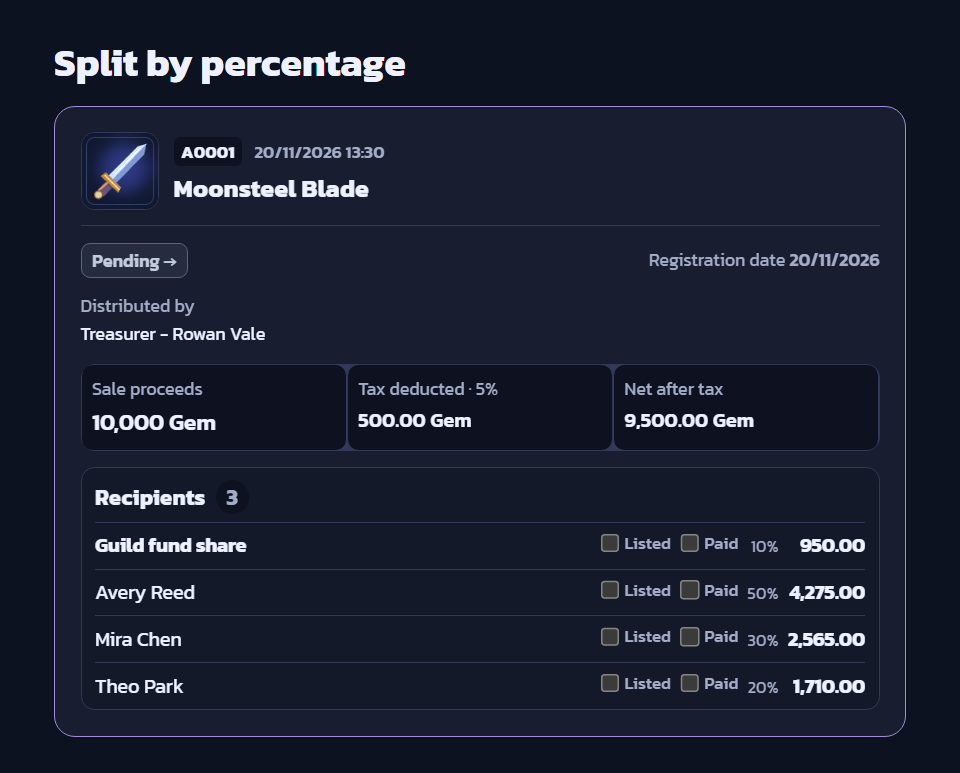
Split by percentage
Enter a percentage next to each recipient. The percentages must add up to 100%.
The first recipient gets 50% or 4,275 units, the second gets 30% or 2,565 units, and the third gets 20% or 1,710 units.
-
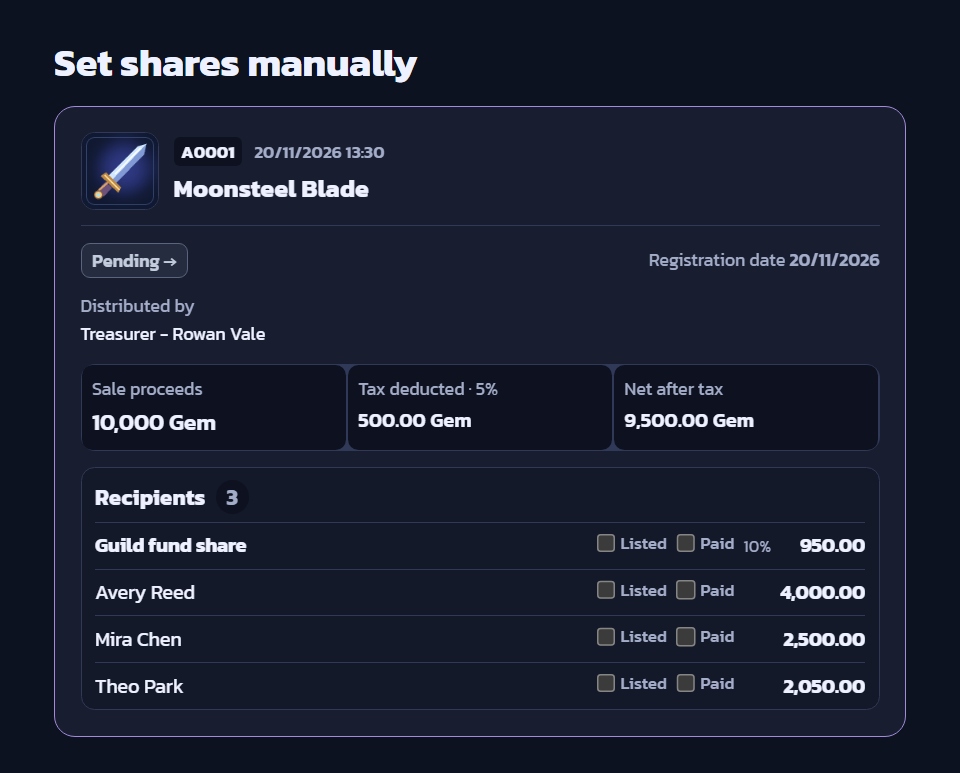
Set shares manually
Enter each recipient’s amount directly. The amounts must add up to the amount available to members.
Give the first recipient 4,000 units, the second 2,500, and the third 2,050, for a total of 8,550 units.
Before confirming payment
- Check the recipient names and points against the actual attendance list.
- Use the final per-member payout shown by the site when listing items and making payments.
- Keep proof of the sale in Sale evidence and screenshots of who took part in Participation evidence.